



Steam Mobile: Game Info & Deals on the Go
Overview
Steam Mobile is a free utility app developed by Valve Corporation, designed to extend the Steam gaming ecosystem to mobile devices. As a one-stop source for game information, it serves as a companion tool for PC gamers who want to stay connected to their accounts, track new releases, and monitor special offers. The app supports both Android and iOS platforms, enabling users to access their Steam profiles, manage game libraries, and receive real-time alerts about discounts.
It is particularly useful for gamers who want to browse game catalogs, check friend activity, and make purchases directly from their mobile devices. The application is tailored for a broad audience within the gaming community, from casual players to dedicated enthusiasts. Real-world usage includes monitoring sales during seasonal events, reviewing friend activity, and managing inventory or wallet balances.
It also supports secure login via Steam Guard and QR code authentication, enhancing account protection. While the app offers robust integration with the Steam platform, some users have reported interface inconsistencies, such as navigation issues when returning from game details. The developer did not provide additional system requirements beyond the supported operating systems.
Key Features & Capabilities
- Real-Time Game and Discount Alerts – Receive instant notifications about new game releases and special deals, ensuring users never miss a sale.
- Friend Activity Monitoring – View what friends are currently playing, their online status, and recent gameplay activity.
- Secure Account Access – Enable Steam Guard for two-factor authentication and use QR code login for faster, safer sign-ins.
- Mobile Game Purchases – Browse the Steam catalog and buy games directly from the app, including the daily deal feature.
- Inventory and Wallet Management – Check your in-game items, trading cards, and wallet balance from your mobile device.
- Integrated Messaging System – Communicate with friends and community members through the built-in chat interface.
- Download and Update Control – Manage game downloads and updates remotely, even when away from your PC.
These features streamline the gaming experience by allowing users to stay engaged with their Steam accounts without needing a desktop. For example, a user can discover a discounted game during a commute, purchase it immediately, and schedule its download for later. The app also supports social interaction, making it easier to coordinate gaming sessions or share screenshots with friends. The ability to manage downloads remotely is particularly beneficial for users with limited bandwidth or those who prefer to update games during off-peak hours. While the app’s functionality is extensive, some users have noted interface glitches that affect navigation efficiency.
User Interface, Workflow & Performance
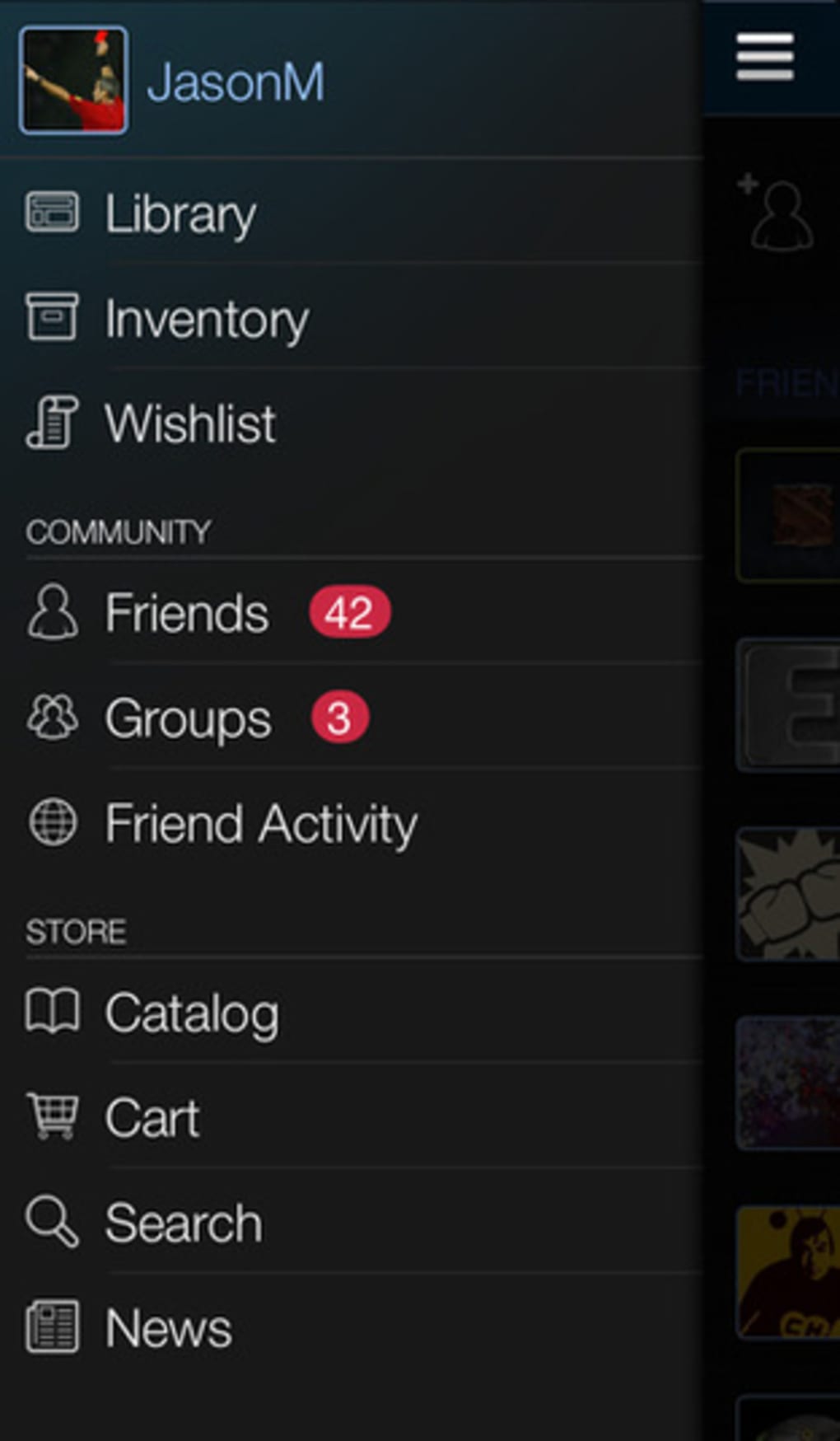
The user interface of Steam Mobile follows a clean, card-based layout optimized for touchscreens. Navigation is structured around tabs for Home, Friends, Library, Store, and Account, allowing users to switch between core functions with minimal effort. The workflow is generally intuitive, especially for those already familiar with the Steam desktop client.
However, some users have reported inconsistent navigation behavior—specifically, returning to a previous screen via the device’s back button may not restore the exact scroll position, leading to a frustrating user experience. This issue can disrupt the browsing process when exploring large game lists. The app’s performance appears stable during typical use, with no reported crashes or freezes in general usage patterns.
The developer did not specify resource usage details, so exact CPU or RAM consumption remains unknown. Stability during extended use has not been officially documented. Performance observations are based on general software behavior patterns and user feedback.
Overall, the interface remains functional and responsive, though minor refinements could enhance usability.
Compatibility & System Requirements
Steam Mobile is compatible with both Android and iOS operating systems. The app is available for devices running the latest stable versions of these platforms. The installation size is 25.3 MB, making it a lightweight download suitable for most mobile devices.
The software version is 2024.10.28, released on October 28, 2024. Exact system requirements were not listed, and the developer did not provide additional hardware specifications. Compatibility information is limited to the operating systems mentioned.
Users are advised to ensure their device meets the minimum OS version required by the app’s platform. No specific processor, memory, or storage thresholds were disclosed. Platform compatibility information is limited.
Pros and Cons
Pros
- Free to download and use with no in-app purchases
- Real-time access to game deals and discounts
- Secure login options including Steam Guard and QR code authentication
- Full integration with Steam account features like inventory, wallet, and friend activity
- Ability to purchase and manage game downloads remotely
- Lightweight installation at 25.3 MB
Cons
- Navigation issues reported when returning from game details
- Back button behavior inconsistent with scroll position restoration
- Interface glitches may disrupt browsing experience
- No official documentation on system requirements or resource usage
- Performance under heavy multitasking not confirmed
FAQ Section
Is Steam Mobile available for both Android and iOS?
Yes, Steam Mobile is available for both Android and iOS devices. It supports the latest stable versions of these operating systems.
Is the app free to use?
Yes, Steam Mobile is completely free to download and use. There are no in-app purchases or subscription fees.
Can I manage my Steam downloads from the mobile app?
Yes, the app allows users to manage game downloads and updates remotely, even when not connected to their PC.
How secure is Steam Mobile?
The app supports secure login through Steam Guard and QR code authentication. These features provide two-factor verification to protect your account.
Does the app require an internet connection?
Yes, an active internet connection is required for full functionality, including browsing, messaging, purchases, and real-time updates.
Final Thoughts
Steam Mobile delivers a powerful, free mobile companion for the Steam gaming platform. With seamless access to game deals, friend activity, and account management, it enhances the overall gaming experience for users on the go. The integration of secure login methods and remote download control adds significant value.
While the app has some interface inconsistencies—particularly in navigation and scroll state handling—its core functionality remains reliable and effective. For gamers who want to stay informed, connected, and in control of their Steam accounts from their mobile device, Steam Mobile is a strong choice. Despite minor usability issues, it remains a top-tier tool in the gaming utility space.
Download Steam Mobile now.







